The product
One development cycle, every week.
4CM isn’t a library you dip into. It’s a loop — plan, coach, observe, reflect, adapt — with the Brain carrying context from each stage into the next, so a season adds up to development rather than a folder of sessions.
Plan
Plan the session
Tell the Brain your focus — “pressing with my U13s, 45 minutes, 14 players” — and it comes back with a full session: warm-up, drills, small-sided game, cool-down, with corner balance and coaching points. Photograph a whiteboard or a napkin diagram and it comes back structured. Or pull from a library of 200+ drills, every one tagged to the four corners.
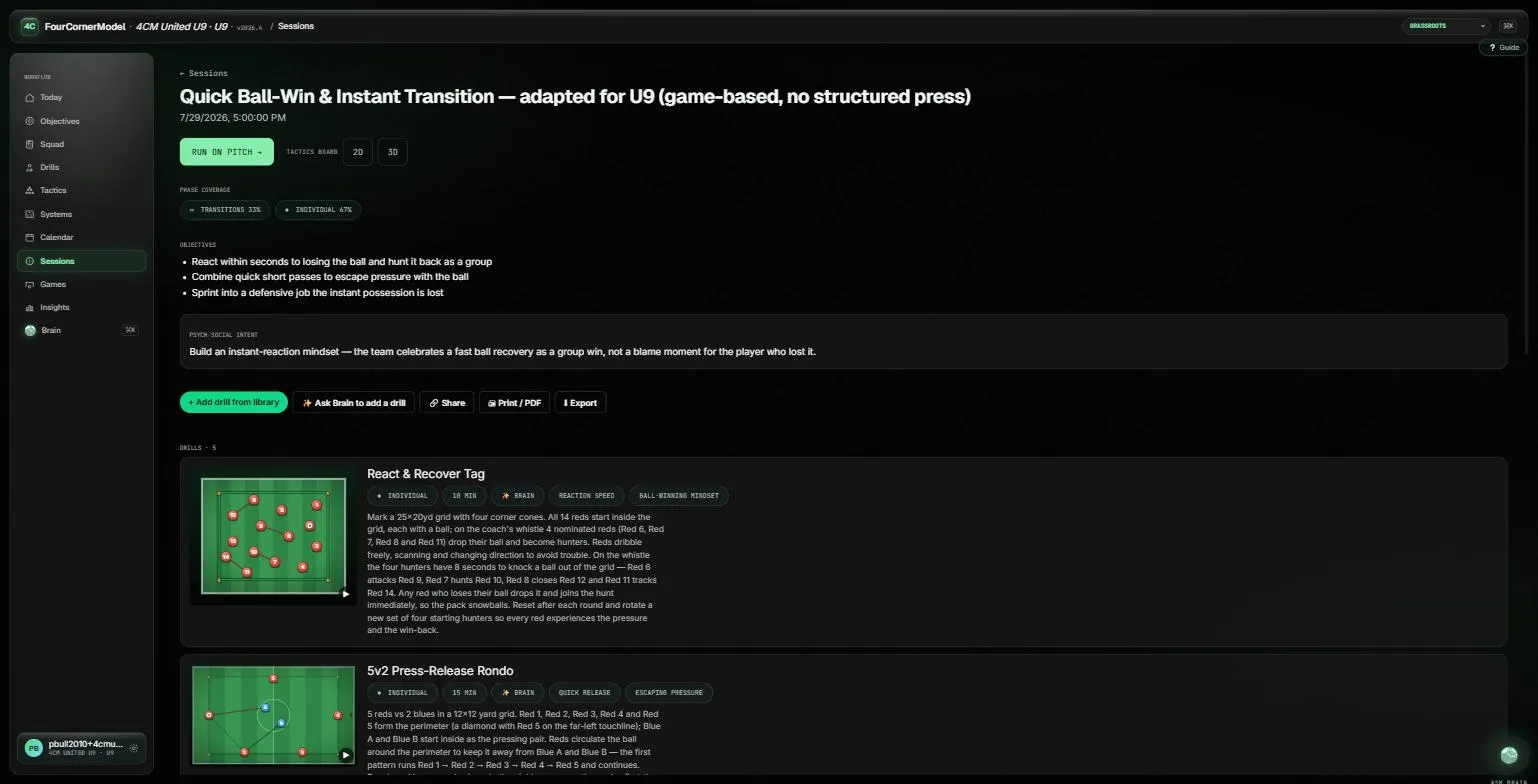
A session, not a drill list. Phase coverage, a psych-social intent, and coaching points on every drill. Coach
Walk through it in 3D
Rigged, animated players running your plays — pass, dribble, run, combine. Record a sequence once, play it back at half speed, share it with the squad. No more static arrows on a photograph of a whiteboard.
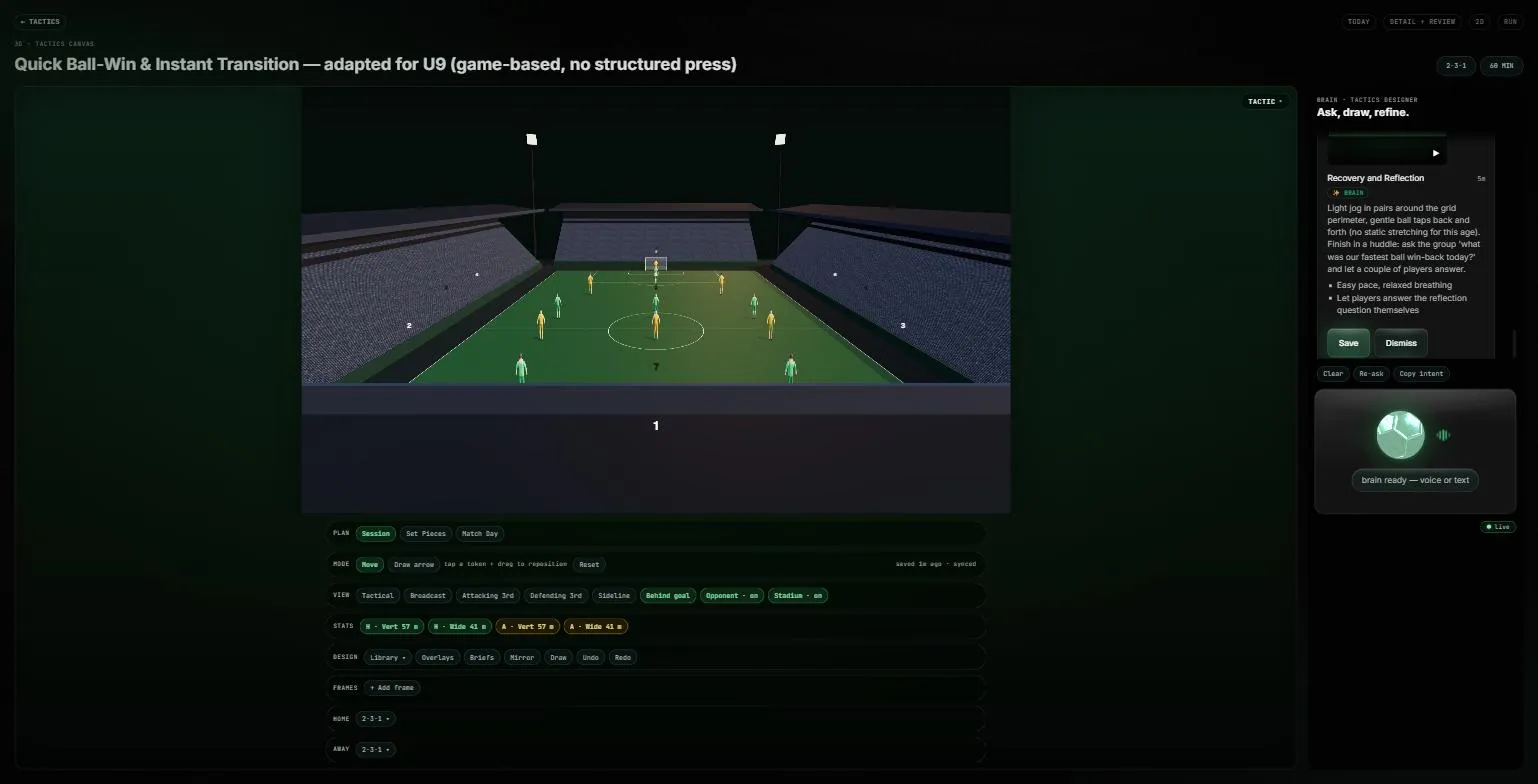
3D walkthrough. Move the camera, set the formation, step through the frames. Coach match day
A formation-aware lineup pitch. A tactic-plan bundle — opposition shape, matchups, sub plan — in one card. Set-piece plays to share. A live transition tagger while you watch. After the whistle, a match report drafted for you to edit.
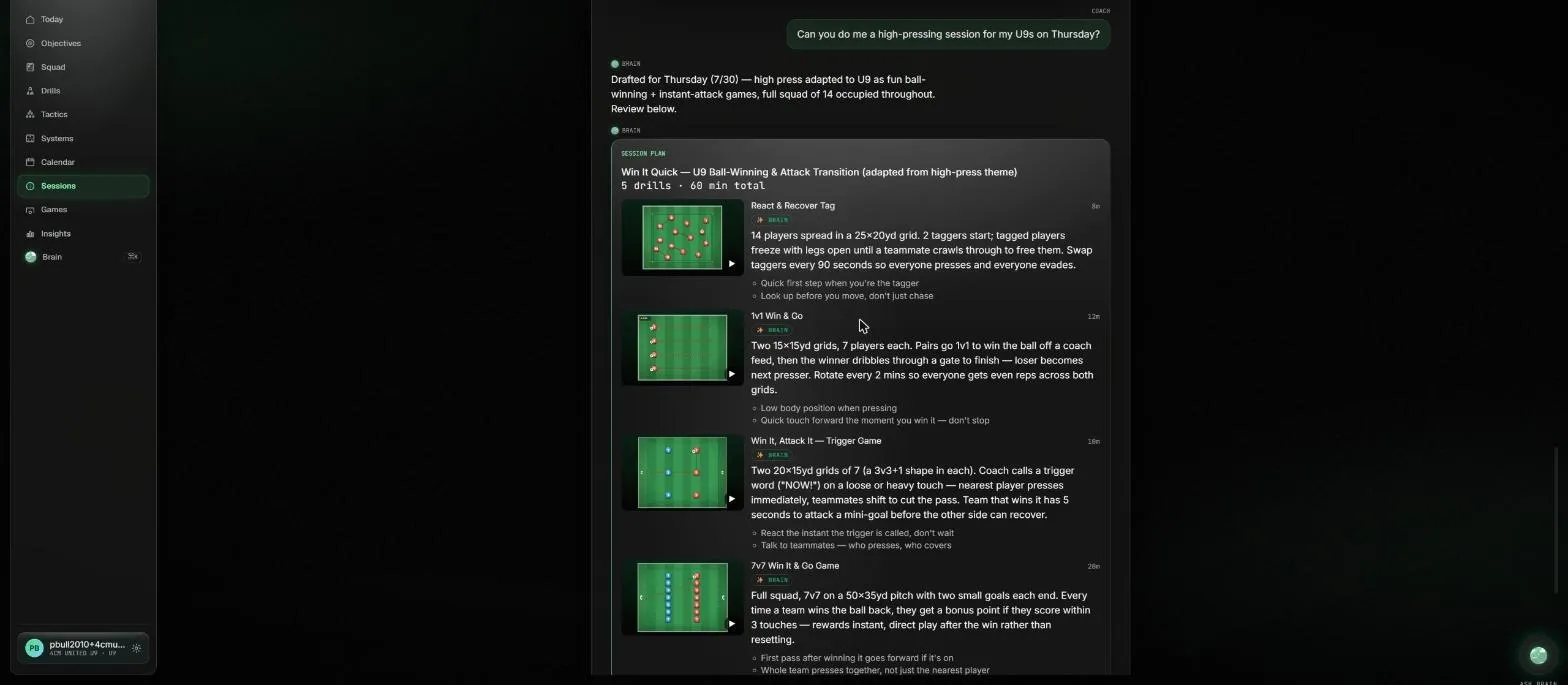
It adapts what you asked for. A high press for under-9s comes back as ball-winning and instant-attack games — and says so in the plan's own title. Observe
Capture as you go
You don’t have to write anything up. As you plan, review and talk things through with Brain, it keeps what matters — preferences, patterns and traits, about you and about individual players. Everything it holds is listed on the “What Brain remembers” page, and you can forget any of it at any time. Those memories feed into future session planning, player reviews and your own coaching reflections, so your everyday observations become part of the team’s development record rather than disappearing into a notebook.
Observe
Review the week’s video
Upload a clip. The Brain samples frames, spots events, and writes per-player four-corner notes — then talks with you about what actually happened. Clips attach to player profiles and to the curriculum. Nothing is auto-published: a coach accepts every suggestion first.
Reflect
Close the loop
Blind coach-and-player ratings across the four corners, revealed only once both are in — so neither anchors the other. Bio-band aware, so a late developer isn’t marked down for being late. Velocity alerts when a player is quietly slipping, to the coach only. Parents see a clean, plain-English view.
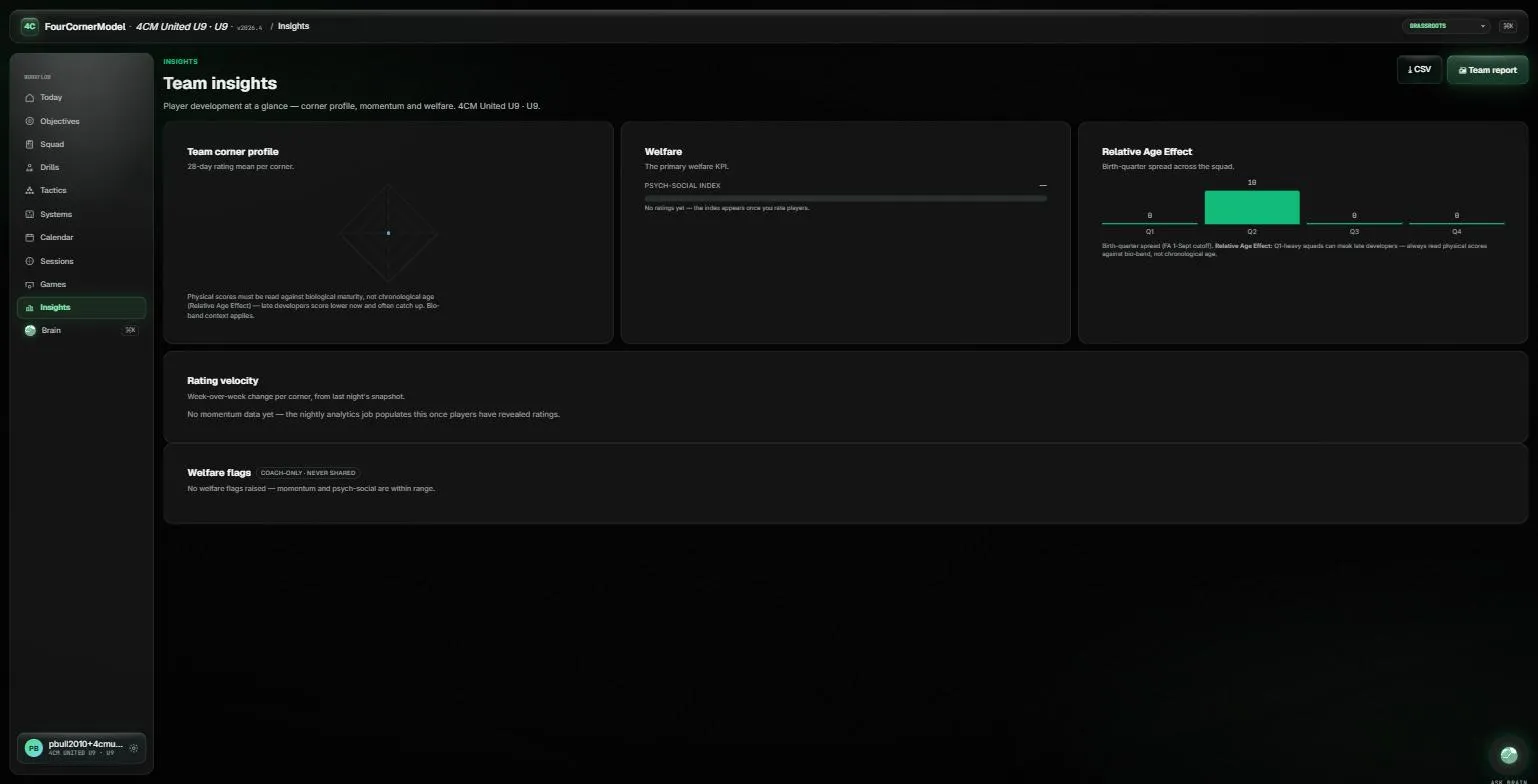
Closing the loop. Corner profile, the psych-social index, and birth-quarter spread — with welfare flags that stay with the coach. And every other week, it checks in on you
Four questions, by voice or text: what went better than you expected, what didn’t land, what your team is wrestling with, and what you’d like help with next. That last answer becomes a standing instruction on every reply the Brain gives you for the following fortnight. You are the other person developing here, and most coaching software forgets that entirely.
Worth saying plainly
What isn’t true yet.
Marketing pages tend to describe the roadmap in the present tense. Here is the honest state of things.
- There is no mobile app you can download. 4CM runs in any browser, including on a phone. Native iOS and Android builds are in internal testing and are not in either store yet.
- Players and parents don’t have their own logins yet. Player self-rating and Coach vs Me Coming during beta and the parent view Coming during beta are built, but the pilot issues no player or parent accounts — so for now the coach holds the whole record and shares it directly. Player accounts open at 13 and above. The player development journal Planned is not built at all.
- The Brain drafts; it doesn’t decide. Sessions, match reports, video notes and coaching suggestions all arrive as drafts for a coach to edit or throw away. Nothing reaches a player or parent unreviewed.
- We’re in beta. Free while we’re in beta. You will find rough edges, and we would genuinely like to hear about them.